hive3
作者 by aigle / 2023-12-19 / 暂无评论
自定义分隔符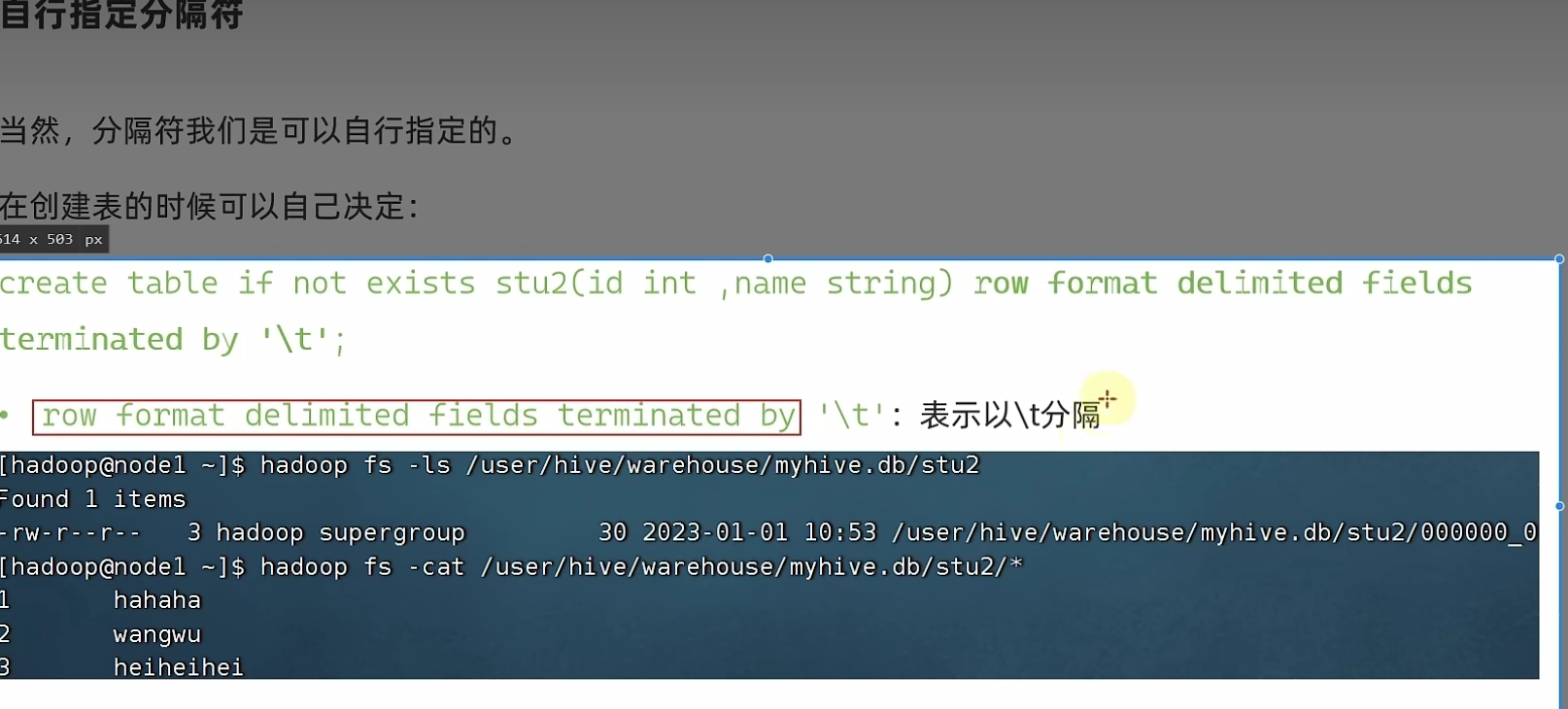
内部表和外部表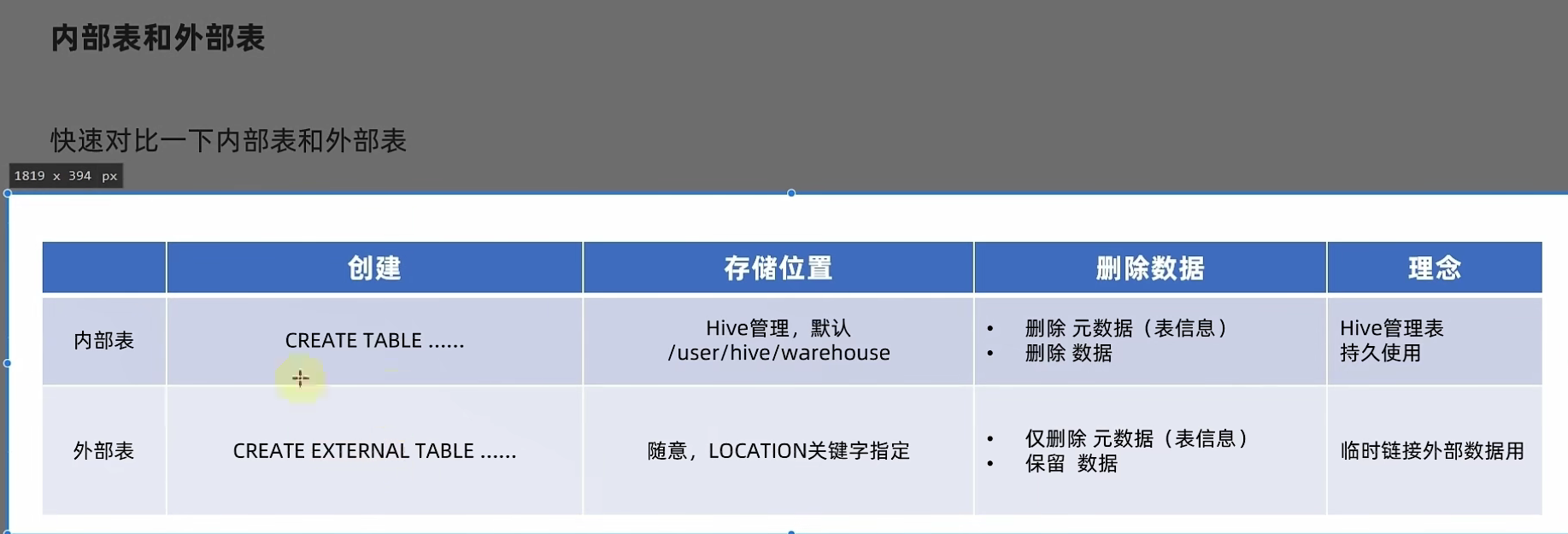
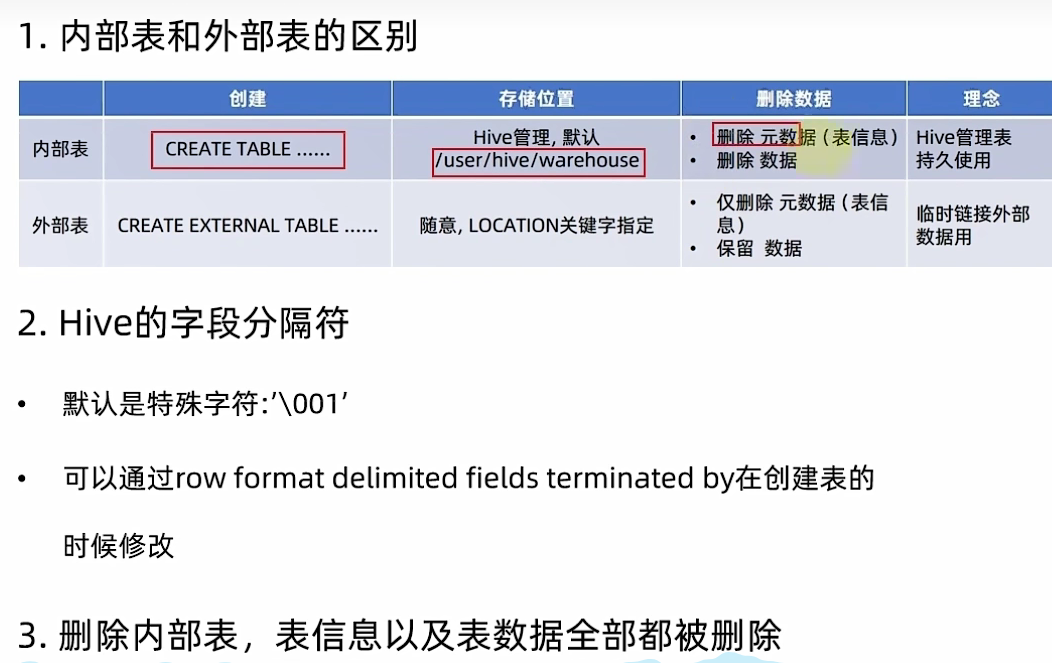
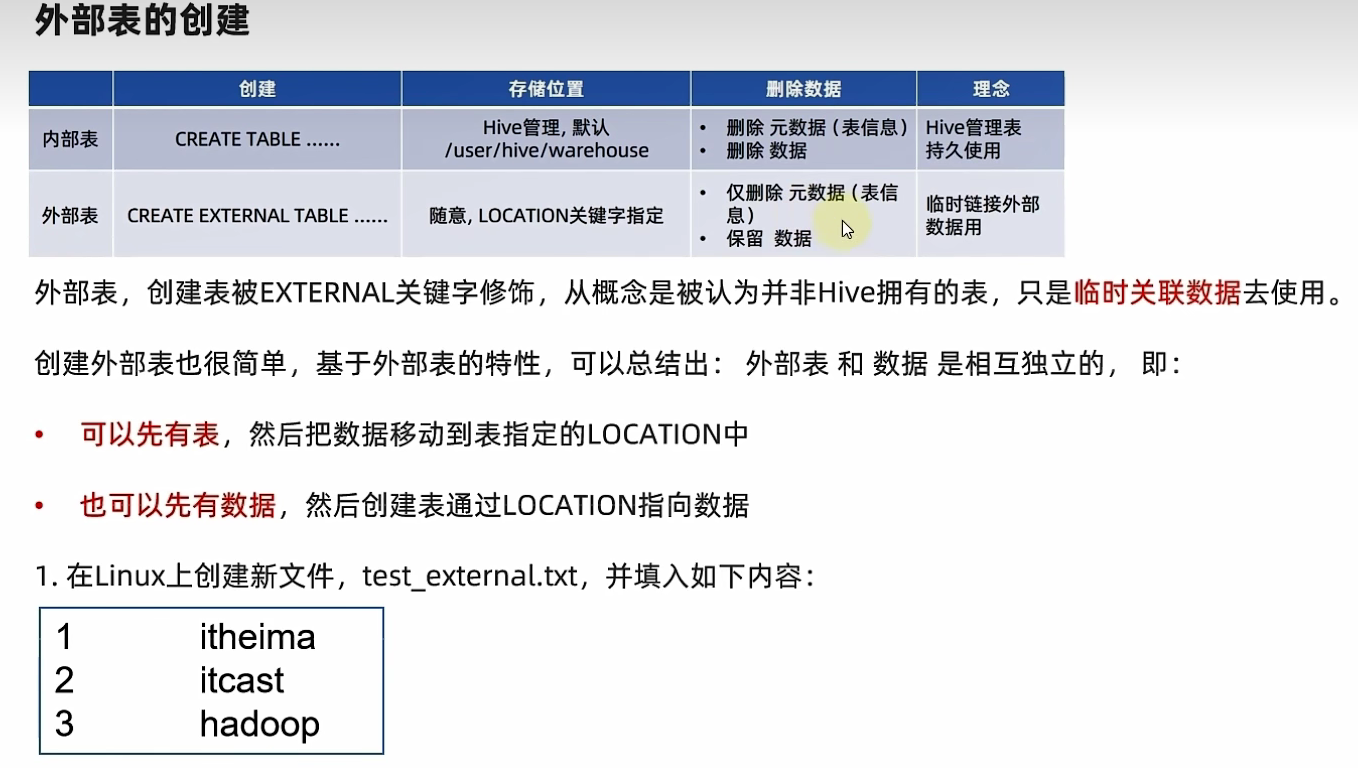
--首先检查:
hadoop fs -ls /tmp
--确认不存在/tmp/test_ext1目录
--创建外部表:
create external table test_ext1(id int, name string) row format delimited fields terminated by '\t' location '/tmp/test_ext1';
--可以看到,目录/tmp/test_ext1被创建
select * from test_ext1,
--空结果,无数据
--上传数据:
hadoop fs -put test_external.txt /tmp/test_ext1/
select * from test_ext1
--即可看到数据结果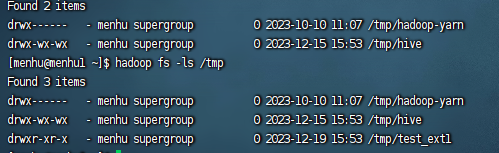
查看表详情(内部表还是外部表)
查看表类型:desc formatted stu;
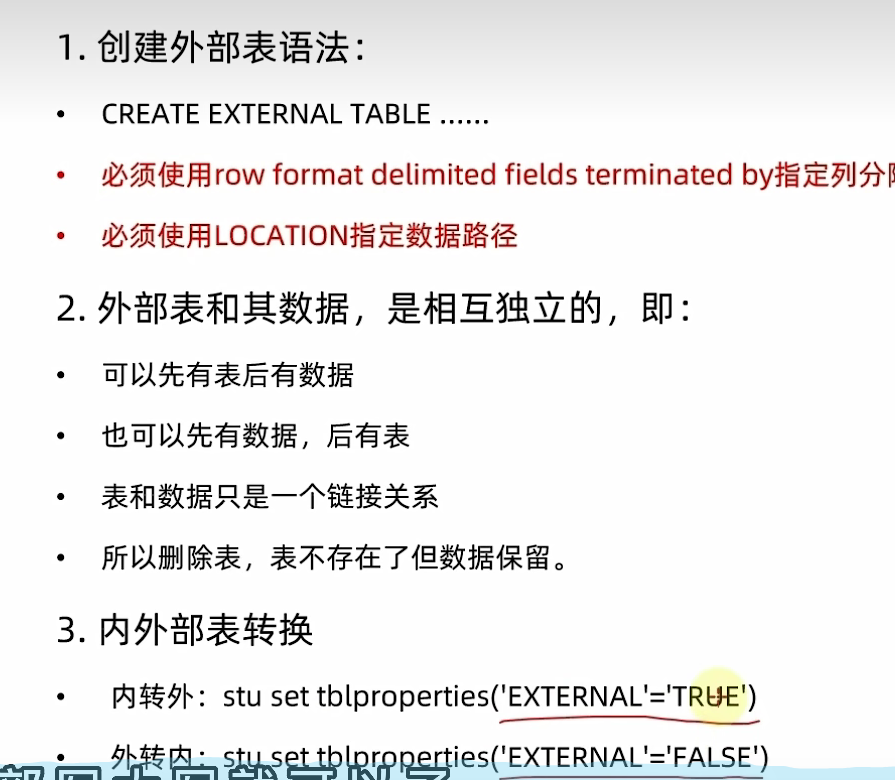
内部表转外部表
alter table stu set tblproperties('EXTERNAL'='TRUE');
外部表转内部表
alter table stu set tblproperties('EXTERNAL'='FALSE');
通过stu set tblproperties来修改属性
要注意:('EXTERNAL'='FALSE') 或 ('EXTERNAL'='TRUE')为固定写法,区分大小写!!!
建表
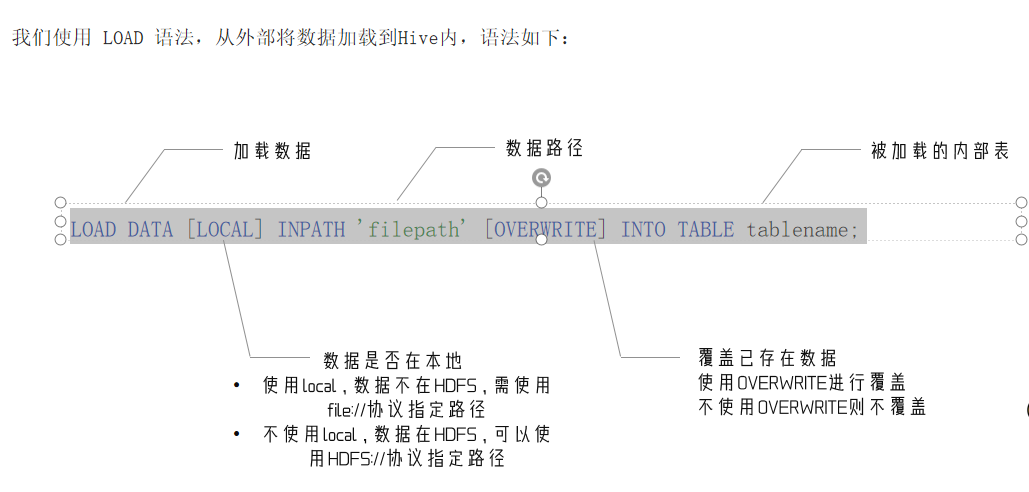
数据加载 - LOAD语法
LOAD DATA [LOCAL] INPATH 'filepath' [OVERWRITE] INTO TABLE tablename;
CREATE TABLE myhive.test_load(
  dt string comment '时间(时分秒)',
  user_id string comment '用户ID',
  word string comment '搜索词',
  url string comment '用户访问网址'
) comment '搜索引擎日志表' ROW FORMAT DELIMITED FIELDS TERMINATED BY '\t';
*
注意,基于HDFS进行load加载数据,源数据文件会消失(本质是被移动到表所在的目录中)*
create database myhive;
use myhive;

CREATE TABLE myhive.test_load(
  dt string comment '时间(时分秒)',
  user_id string comment '用户ID',
  word string comment '搜索词',
  url string comment '用户访问网址'
) comment '搜索引擎日志表' ROW FORMAT DELIMITED FIELDS TERMINATED BY '\t';

load data local inpath '/home/menhu/hadoop/search_log.txt' into table myhive.test_load;

select * from myhive.test_load;

--上传至HDFS
hadoop fs -put search_log.txt /tmp/
load data inpath '/tmp/search_log.txt' overwrite into table myhive.test_load;

CREATE TABLE myhive.test_load2(
  dt string comment '时间(时分秒)',
  user_id string comment '用户ID',
  word string comment '搜索词',
  url string comment '用户访问网址'
) comment '搜索引擎日志表' ROW FORMAT DELIMITED FIELDS TERMINATED BY '\t';

SELECT * FROM myhive.test_load;
INSERT INTO TABLE myhive.test_load2 SELECT * FROM myhive.test_load;

select * from myhive.test_load2;
load data更快
因为insert要走map reduce
load data直接读文件
数据导出
将hive表中的数据导出到其他任意目录,例如linux本地磁盘,例如hdfs,例如mysql等等
语法:insert overwrite [local] directory ‘path’ select_statement1 FROM from_statement;
将查询的结果导出到本地 - 使用默认列分隔符
insert overwrite local directory '/home/hadoop/export1' select * from test_load ;
将查询的结果导出到本地 - 指定列分隔符
insert overwrite local directory '/home/hadoop/export2' row format delimited fields terminated by '\t' select * from test_load;
将查询的结果导出到HDFS上(不带local关键字)
insert overwrite directory '/tmp/export' row format delimited fields terminated by '\t' select * from test_load;
标准重定向导出文件
hive表数据导出 - hive shell
基本语法:(hive -f/-e 执行语句或者脚本 > file)
bin/hive -e "select * from myhive.test_load;" > /home/hadoop/export3/export4.txt
bin/hive -f export.sql > /home/hadoop/export4/export4.txt
评论已关闭